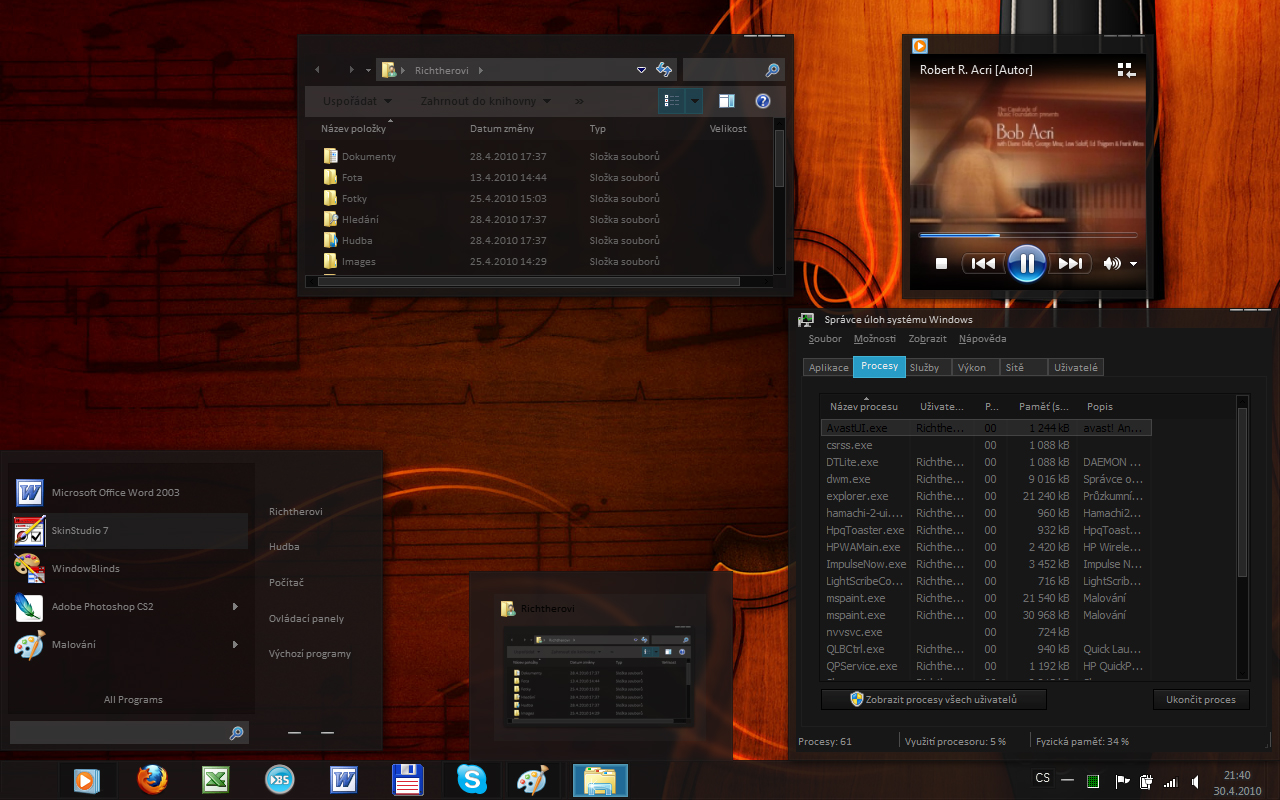
Problem with font color

I just downloaded Oni and absolutely love it, but all my icon texts are black and impossible to see.  For example http://www.glowfoto.com/static_image/04-105206L/9199/jpg/09/2010/img4/glowfoto You can clearly see its different from http://skins14.wincustomize.com/32/19/3219847/1/7144/preview-1-7144.jpg .  Is there any thing I can do to make it like the preview picture?

Any help would be appreciated.

1,097 views 2 replies
Reply #1 Top

Hi Rednbing,

In Window Blinds, click on Colours at the bottom of the page and then on change system colors.  You can change any that you like including menu text.  OR you could go to the Control Panel, click on Personalization, Window Color and then on Advanced Appearance Settings  to see if it is a system color that is causing the problem.  Just scroll down and select Menu and you can see the background and the text color.  Hope this helps a bit. 

Reply #2 Top

I've tried to change it in colors, but as you can see http://www.glowfoto.com/viewimage.php?img=05-043931L&y=2010&m=09&t=jpg&rand=3361&srv=img4 it's not set to black.  I've even tried changing all black colors to red to see if the text changes, but it didn't work.  I also tried to change things in personalization but the icon text colors is grayed out, http://www.glowfoto.com/viewimage.php?img=05-043939L&y=2010&m=09&t=jpg&rand=3659&srv=img4 .  I searched around and it seems lots of people have this grayed out.  Again i tried changing all the colors I can but it also didn't work.  It's getting slightly frustrating. XO