Is there a faster way to view all the themes?

Browsing through wincustomize.com is too slow

At wincustomize.com there are 346 pages of themes. To view one I click on a theme, which takes me to another page, where I click on the theme again to finally see the full size image of the theme. Then I back out and repeat for the next theme. This is taking too long. Is there a faster way I can get the full size images of all the themes? Can I download them from somewhere?

5,543 views 22 replies
Reply #1 Top
As a subscriber I can change my profile and get up 100 skins to view if I want to :) 
Reply #2 Top
Its the same on any other site. Patience grasshopper. :)
Reply #3 Top
Ah yes...but I only use the 48 (I think it's 48....) option. 100 skins per page is alot of skins to look at on one page.....
Reply #4 Top
100 skins per page is alot of skins to look at on one page
End of quote


It is also a little too slow, 30 seconds to load page with 100 skins and that is on a 5meg DSL.
Reply #5 Top
I'm a new subscriber. I bring up WindowBlinds and there's about 8 themes at the bottom to choose from, and if I download a theme it shows up. My gosh, what happens when I've downloaded 100 different themes? Does it become onerous to browse through them all?
Reply #6 Top
You could burn all but a few to a CD.
Reply #7 Top
Does it become onerous to browse through them all?
End of quote


No, not really, that is when the scrollbar comes in handy. ;)
Reply #8 Top
I agree about searching thru all the themes. maybe a-z or page numbers so If you get tired of looking you can go back to where you left off at least.
Reply #9 Top

100 skins per page is alot of skins to look at on one page


It is also a little too slow, 30 seconds to load page with 100 skins and that is on a 5meg DSL.
End of quote


You should do a speed test to find out if your getting any where near what your paying for or get your isp to do a line check,i'm on what's supposed to be a 2mbps connection,the actual speed is 1.5mbps @ a download rate of 150kbps of data & considering i'm much further away from the states than you are, 100 is how many i view per page & loading them only takes around 6-10 seconds the average is 10,so you being on a 5meg connection the page should load i would'a thought in 1-5 seconds,the reason i don't get full speed is i'm too far from the exchange so even if i went to 3megs i still would only get 1.5,my guess is your in the same situation in which case it'd be better to drop to the speed that your connection allows & pay less

ps: you might be better off with dial up ;p
Reply #10 Top
ps: you might be better off with dial up
End of quote

Blasphemy! :SURPRISED:
Reply #11 Top


You should do a speed test to find out if your getting any where near what your paying for or get your isp to do a line check
End of quote


It may have just been the time I tested 100 per page at and the WC servers were being slow.

@ a download rate of 150kbps of data
End of quote


My peak download rate is 530kbps.
Reply #12 Top
100 is how many i view per page & loading them only takes around 6-10 seconds the average is 10,so you being on a 5meg connection the page should load i would'a thought in 1-5 seconds
End of quote


Just tested 100 per page again, using FF, 26 seconds with cache cleared, 19 seconds with page cached. Between the tests I went to MS download center to test download rate, file was downloading between 510 and 523kbps. Using IE7 site is even slower.
As download rates show my service is 5meg.

Are you sure it is 6-10 for you and not 60-100 ;p :LOL:
Reply #14 Top
Hey Bebi, just tested thru Cogeco, here are the results

In kilobytes per second: 521.7 down 82.4 up
Tested by server: 7 java
User: 2 @ dslreports.com
User's DNS: bell.ca
Compared to the average of 783 tests from bell.ca:
* download is 69% better, upload is 26% better
Reply #15 Top
GRRRRR, I *really* hate not being able to edit my post when someone posts after me. Users higher up in the levels should be able to do it. :(

Last Result:
Download Speed: 5804 kbps (725.5 KB/sec transfer rate)
Upload Speed: 489 kbps (61.1 KB/sec transfer rate)

As you can tell, it gives an informative readout (my cable is 6mb, which is reading quite accurately [6mbps = ~730kb/s]).
Reply #16 Top
From your link, New York server

Download Speed: 4253 kbps (531.6 KB/sec transfer rate)
Upload Speed: 647 kbps (80.9 KB/sec transfer rate)

May not be quite a full 5megs, but I expect that as I live 4 miles outside of the city.

At least I put your upload rate to shame ;p ;p ;) :LOL: :LOL:

Washington server

Download Speed: 4307 kbps (538.4 KB/sec transfer rate)
Upload Speed: 612 kbps (76.5 KB/sec transfer rate)
Reply #17 Top
To Chicago (where the WC servers are)


http://speedtest.dslreports.com
Reply #18 Top
Just ran tracert to WC, 12 hops slowest response 30 ms.

Reply #19 Top
back on topic.. I too wish there was a more easy way to save where you left off when browsing the library's so you could easily go back, should you have to leave before finished....
Reply #20 Top
Start from the back and work your way forward (in time) . . then you only have to track recent stuff. :)

{sometimes I am SO brilliant}


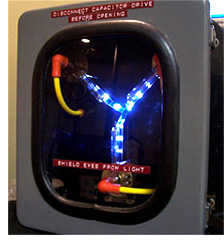
Don't forget teh requiered equipment:


Reply #21 Top
tried that but sum darn kid named Marty took off with it...
Reply #22 Top
tried that but sum darn kid named Marty took off with it...
End of quote
  :CONGRAT: