WindowBlinds: Change the Color of Your Visual Style

WindowBlinds Custom Color Support

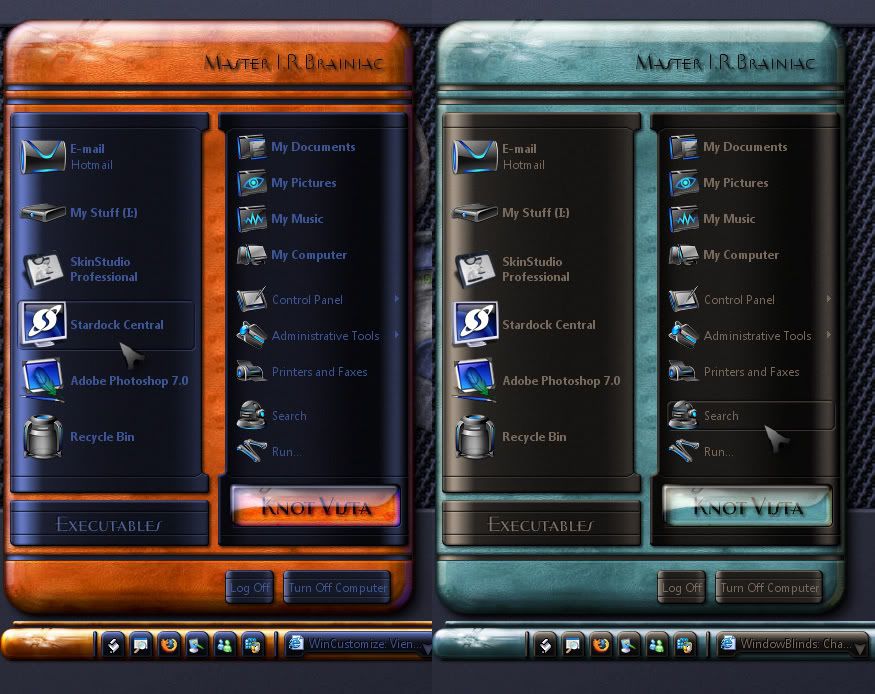
One of the coolest features of WindowBlinds is the ability to change the color of your visual style on the fly.  This is a feature I feel is overlooked sometimes, so I wanted to write a brief guide about it.  It's very simple to use and depending on the skin itself, you can drastically change it's appearance, or just make a slight color change to match a wallpaper. 

Open up the WindowBlinds configuration window and select "Change Colors in Skin", then check "Enable custom color support".  The sliders will now become active and you are free to adjust them to obtain the color you want.  The preview window will give you a real-time view of what color changes are being made. 


You also have the options for HSL based coloring, and Gamma adjustment for even more control.  Once you find the color that fits just hit "Apply my changes" and your new color will take effect.  To undo the coloring just uncheck the "enable custom color" box, and hit apply again.

This is my desktop using the OpusOS skin.


This is the same skin with the colors adjusted.


You see with just a few clicks and some slight slider adjustments you can alter a visual style to your liking.  It's also great for skins that you might have used often, and would like to "update" them with a new look. 


8,045 views 10 replies
Reply #1 Top
That's some good 4-11 ID!

Thank you for sharing!

Cp

  
Reply #2 Top
very,very cool ID!keep em' comin!
Reply #6 Top
Not exactly a hidden feature but it seems a lot of peple dont know about it,or at least forget it.
Use of this feature should in theory cut down on 'can you make me a different color'.  

Reply #7 Top
I rarely use it as I like to see the skin as it was designed , however to some people this is a Godsend. Nice example Braini   
Reply #8 Top
Wow! Great work IR! Put two separate substyle in wb, wood and sea
Reply #9 Top
  

Sometimes just playing with saturation,brightness or greyscaling can get you the look you want.
All monitors are setup diff...the skinner skins to his setup...not knowing how the colors are going to look on a another monitor.  
Reply #10 Top
THanks Island Dog this guide was very helpful and I appreciate it

Anne