3D Desktop In Linux
from  JoeUser Forums
JoeUser Forums
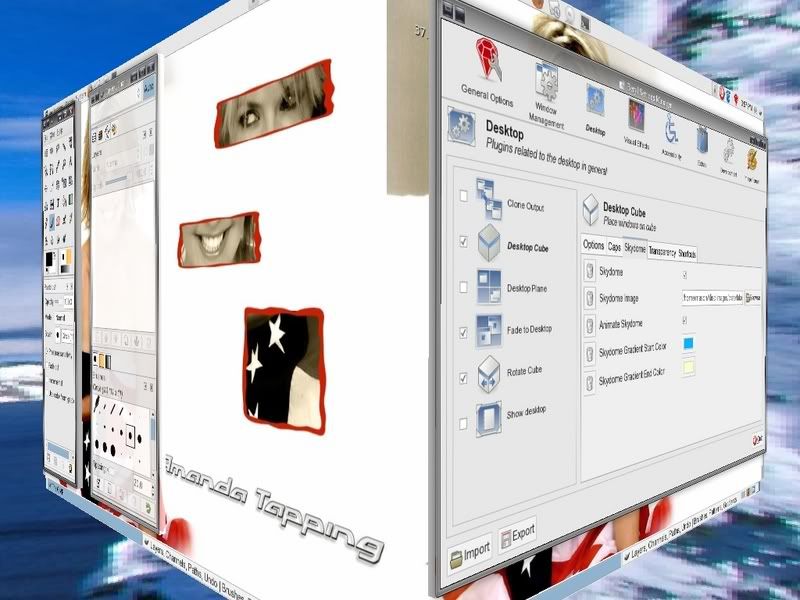
With all this time on my hands I decided to install the xgl xorg server and Beryl window manager to my Slackware system. It really wasn't that hard to do and the effects are great. I normally have four desktops on my system anyway, but now each desktop is on the face of a cube.
To switch from one desktop to another I simply use my mouse or keyboard to rotate the cube. It looks pretty damn cool. There are also a lot of additional window effects that add a cool touch to things, like when moving or opening a window the window "wobbles" and that just plain looks cool as hell. If I have applications running on different desktops I can also simply click the icon for the application I want to move to and the cube will rotate to that screen automatically. Very, very cool. Well, cool if you're a geek anyway. LOL
There are also some very nice themes that come with the Beryl setup and I really like some of them.
I took this screenshot with the cube half rotated between two desktop screens.
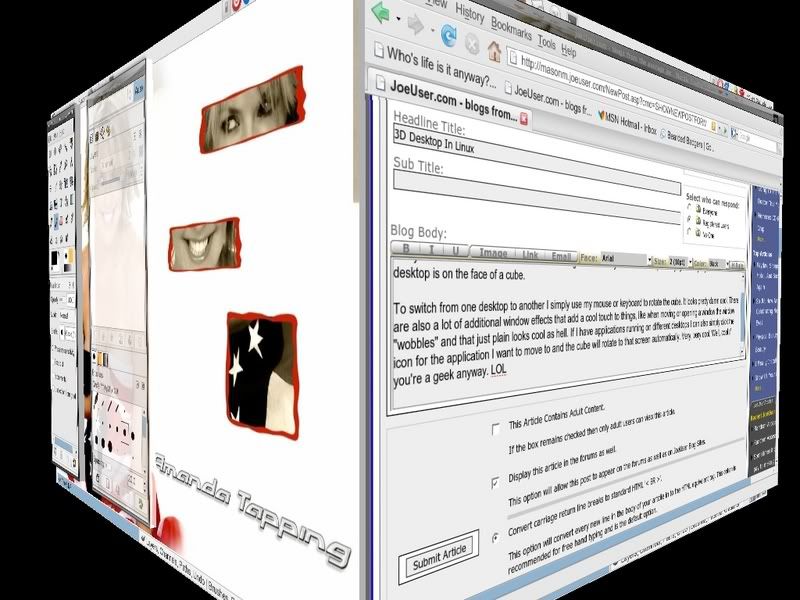
To switch from one desktop to another I simply use my mouse or keyboard to rotate the cube. It looks pretty damn cool. There are also a lot of additional window effects that add a cool touch to things, like when moving or opening a window the window "wobbles" and that just plain looks cool as hell. If I have applications running on different desktops I can also simply click the icon for the application I want to move to and the cube will rotate to that screen automatically. Very, very cool. Well, cool if you're a geek anyway. LOL
There are also some very nice themes that come with the Beryl setup and I really like some of them.
I took this screenshot with the cube half rotated between two desktop screens.